

Blog

What’s New in the 2025 Ford Explorer?

ford explorer

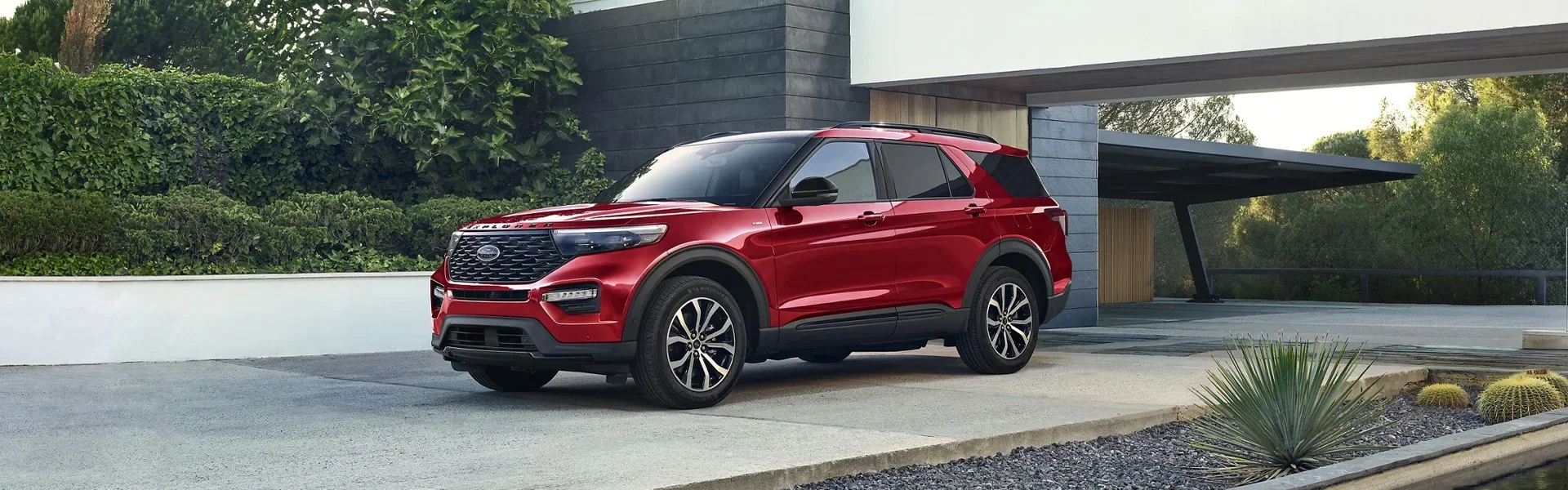
The Ford Explorer is the best-selling SUV of all time. It continues that legacy with the 2025 edition. The new model features a refreshed look, cutting-edge technology, and premium comfort features. The latest Explorer has a streamlined lineup of four trims: Active, ST-Line, ST, and Platinum.

Curious about what Ford has in store for the new model year? Keep reading as Groppetti Auto Family breaks down all the exciting updates packed into the 2025 Ford Explorer.

The 2025 Ford Explorer: A New Look

The first change you'll notice in the 2025 Ford Explorer is its new look. The updated design features a bold new front fascia, with a larger grille and sleek-looking LED headlights. Updated rear taillights provide a cohesive look. The chassis features a broad-shouldered stance that balances ruggedness and refinement.

The changes continue on the inside. The redesigned dashboard has been pushed forward to provide a more spacious cabin. The center console and door panels are adorned with premium soft-touch materials. The cabin color schemes are trim-specific:

  • Platinum: Luxurious Mojave Dusk leather with matched accent stitching
  • ST: Sporty Black Onyx elements with bold red accent stitching
  • ST-Line: Athletic-inspired design cues
  • Active: Rugged elegance with Ultra Dark Space Gray and Harvest Bronze accents

Explore Cutting-Edge Automotive Technology

The 2025 Explorer continues the model's focus on innovation. It's the first Ford vehicle to feature the new Ford Digital Experience infotainment system. The new system features a standard 13.2-inch touchscreen paired with a 12.3-inch digital instrument cluster.

The infotainment system integrates Google Maps for seamless navigation along with Google Assistant and Amazon Alexa for a complete set of voice command functionalities. When parked, the screen can stream videos or play games from the Google Play Store.

The vehicle makes full use of this new infotainment system with impressive connectivity features:

  • Wireless Apple CarPlay and Android Auto compatibility
  • Multiple USB ports throughout all three rows
  • Wireless charging pad for cable-free power
  • 12-speaker Bang & Olufsen sound system standard on most trims

Perhaps an even more significant innovation is the addition of Ford's BlueCruise hands-free highway driving system. Previously unavailable on the Explorer, this feature enables true hands-free driving on compatible highways. For increased safety, it uses a driver-facing camera to ensure attention remains on the road when hands are off the wheel.

Your mood varies as you're driving from one day to the next. Ford provides a way to reflect this with the Explorer's customizable multi-color ambient lighting system. These LED lights illuminate the interior of the SUV with a choice of seven colors: Ice Blue, Orange, Soft Blue, Red, Green, Blue, and Purple. Drivers can now perfectly reflect how they feel in the moment.

Is the 2025 Ford Explorer the Ultimate Package?

The 2025 Ford Explorer offers an excellent blend of capability, comfort, and cutting-edge features. These have made the SUV a standout performer for as long as it's been produced. These offerings make a compelling case that the Ford Explorer is the ultimate family SUV.

The powertrain options remain impressive, including the standard 2.3L turbocharged EcoBoost four-cylinder with its 300 horsepower and the twin-turbo 3.0L V6 with its impressive 400 horsepower. The vehicle features a 10-speed automatic transmission and is available in rear-wheel drive and all-wheel drive options.

What really makes the Explorer such a popular option is its practical appeal. It has versatile seating options, accommodating up to seven passengers. The second-row seats fold easily with one touch for easy access to the third row. Those third-row seats can be folded down, greatly expanding the cargo capacity of the SUV.

Safety remains a major focus for Ford. The new Explorer features the Ford Co-Pilot360 suite of driver-assistance technologies. This includes adaptive cruise control with stop-and-go capability, evasive steering assist, and lane-centering functionality.

Discover Excellence at Groppeti Auto Family

To see for yourself why the Ford Explorer is the best-selling SUV, come down to Visalia Ford today and see one for yourself. Better yet, take one out for a test drive to see just how well it rides. You can also browse our current selection through our online showroom.

Frequently Asked Questions

What are the trim levels of the 2025 Ford Explorer?

The 2025 Ford Explorer has a streamlined lineup of four trims: Active, ST-Line, ST, and Platinum. Each trim has its own distinct interior color scheme and design cues.

What technology does the 2025 Ford Explorer offer?

The 2025 Explorer is the first Ford vehicle to feature the new Ford Digital Experience infotainment system, which includes a 13.2-inch touchscreen and a 12.3-inch digital instrument cluster. It integrates Google Maps, Google Assistant, and Amazon Alexa, and supports wireless Apple CarPlay and Android Auto.

Does the 2025 Ford Explorer have hands-free driving?

Yes. The 2025 Explorer adds Ford's BlueCruise hands-free highway driving system, which was previously unavailable on the Explorer. It uses a driver-facing camera to ensure attention remains on the road when hands are off the wheel.

What are the powertrain options for the 2025 Ford Explorer?

The 2025 Explorer offers two powertrain options: a standard 2.3L turbocharged EcoBoost four-cylinder with 300 horsepower, and a twin-turbo 3.0L V6 with 400 horsepower. Both come paired with a 10-speed automatic transmission.

How many passengers can the 2025 Ford Explorer seat?

The 2025 Ford Explorer accommodates up to seven passengers. The third-row seats can be folded down to expand cargo capacity, and second-row seats fold easily with one touch for easy access to the third row.
Recommended Posts

how to change windshield wipers

How to Change Windshield Wipers

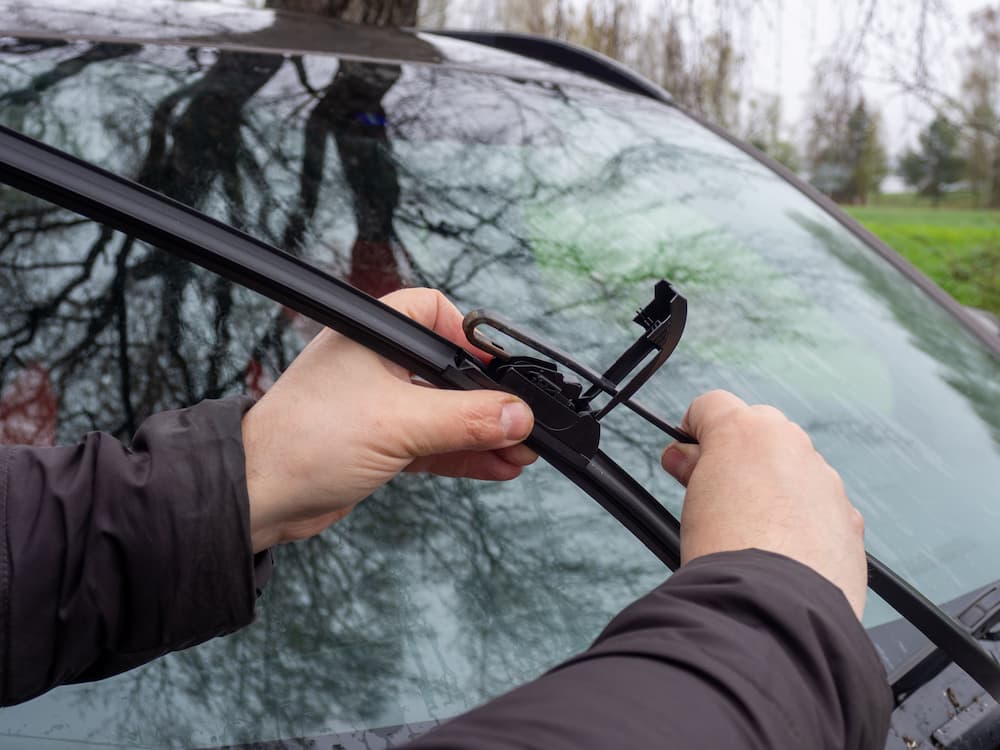
Your car is made up of many moving parts, and at some time or another, they need to be replaced. One part you might not spend a lot of time thinking about is your windshield wipers. The only time you give them any real thought is when it's raining. However, over time, your wipers begin to fail and don't remove as much water as they once did, making it hard to see while driving in the rain. If you live in some place that gets a lot of rain, you might need to change your wiper blades more often than you would if you lived somewhere drier. Knowing how to change windshield wipers is a skill that you can learn quickly and that saves you money over the life of your vehicle. Here's a look at how to replace windshield wipers on your car. The Critical Question: When to Change Windshield Wipers? The average lifespan of a windshield wiper is six to twelve months. Some signs that it's time to change your wiper blades include: Streaking or smearing Skipping or jumping Chattering or squeaking Unwiped areas Cracks or tears Warped or bent frame Rounded or worn edge If you see one or more of these signs, it might be time to replace your blades. Selecting the Right Replacement Blade You need to know the size of your windshield wiper blade, and this information is available in your vehicle's owner's manual. If your budget is tight, you can opt for conventional wipers or splurge on high-performance, all-weather wiper blades. Check the blades' attachment type to ensure it fits on your wiper arm. Step-by-Step Guide: How to Change Windshield Wipers There are a few simple steps for how to change windshield wipers. Even for a first try, it shouldn't take you longer than 10 to 15 minutes to replace your wiper blades. The steps are: Place your key in the ignition and turn it to the on position. The engine should not turn over. Turn on your windshield wipers and turn them off again when they reach a vertical position. Turn the car back off. Pull the wiper blade away from the glass. When you pull it out far enough, you'll feel it click into place, where it will remain stable. At an angle, turn the blade away from the wiper. At the bottom of the arm, you'll see a lock pin or tab. Squeeze it to release the blade. Slide the blade out from the arm and remove it. Slide the new wiper blade through the wiper arm's channel. Pull the tab through the bottom of the arm and press it into place. The sound of a click tells you the blade is in place. Repeat the steps on the other windshield wiper blade. Extending the Life of Your Wipers New windshield wiper blades are an investment in your car, truck, or SUV. You want them to last as long as possible. Here are a few tips for extending the life of your wiper blades: Keep them clean by wiping them with a damp cloth regularly, Use a soft cloth with washer fluid to clean the blades themselves Keep your windshield clean to avoid abrasive dirt Contact Our Service Center for a Professional Installation While you need to know the steps for how to change windshield wipers, you can navigate this chore with minimal effort on your part. You don't want to have to pay someone to do it for you. At Visalia Ford, we can help you get the replacement parts you need or provide professional service for your car, truck, or SUV. Contact us now to order your new windshield wipers. Frequently Asked Questions How often should you change windshield wipers? The average lifespan of a windshield wiper is six to twelve months. If you live somewhere that gets a lot of rain, you might need to change your wiper blades more often than you would if you lived somewhere drier. What are the signs that windshield wipers need to be replaced? Signs that it's time to change your wiper blades include streaking or smearing, skipping or jumping, chattering or squeaking, unwiped areas, cracks or tears, a warped or bent frame, and a rounded or worn edge. How do you change windshield wipers? Place your key in the ignition and turn it to the on position without starting the engine. Turn on your wipers and turn them off when they reach a vertical position, then turn the car off. Pull the wiper blade away from the glass until it clicks into place. Turn the blade away from the wiper at an angle, squeeze the lock pin or tab at the bottom of the arm to release the blade, and slide it out. Slide the new blade through the wiper arm's channel, pull the tab through the bottom of the arm, and press it into place until you hear a click. Repeat on the other side. How long does it take to change windshield wipers? Even for a first try, it shouldn't take you longer than 10 to 15 minutes to replace your wiper blades. How do you extend the life of windshield wiper blades? Keep them clean by wiping them with a damp cloth regularly, use a soft cloth with washer fluid to clean the blades themselves, and keep your windshield clean to avoid abrasive dirt. Image Source: GS23 /Shutterstock

f 150

Upgrading Your Ford Truck: Must-Have Accessories & Tools

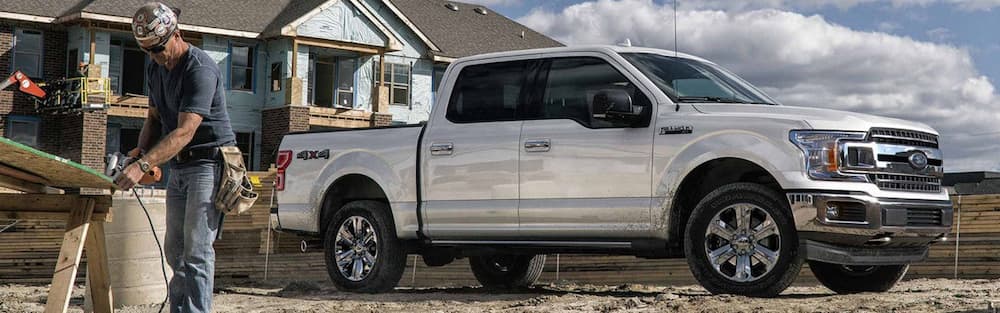
Ford truck owners know the value of their truck. Upgrading a Ford truck with must-have accessories and tools makes it that much better. Whether you're upgrading your truck to equip it for work, travel, or everyday use, Groppetti Auto Family in Visalia, California, is here to guide you through the top Ford truck accessories on the market. Power and Illumination for the Job Site Make sure your Ford truck is ready for whatever the workday brings. A remote start system allows you to start your engine and pre-condition your car from a distance, so that it's ready whenever you are. If you need off-roading abilities or extra traction support, consider upgrading the wheels or tires. You can choose different sizes and materials, including tires that are specially made for summer or winter. Custom Ford truck toolboxes fit into your bed for easy access and superior organization. Find the toolbox system that works for you, choosing from lockable options, side mount styles, low profile styles, chest toolboxes, and more. When a job needs to be done after the sun is down, there's nothing like having LED lights integrated on your truck's bull bar. You can also boost visibility with enhanced LED cargo lighting for the interior. Essential Towing and Hauling Upgrades Do you do a lot of hauling with your Ford truck? Step up with a tailgate step or ladder. This is an easy upgrade that keeps you safer and allows you to conveniently access your gear or load in the truck bed. A foldable design keeps the tailgate step or ladder out of the way when not in use. Looking for an accessory that makes it easier to carry more gear? Find Ford truck racks that fit your rig. Towing upgrades for your Ford truck include a towing hitch with a stainless steel hitch ball, which gives your truck the extra strength to tow up to 6,000 lbs. When you are towing a trailer, boat, or camper, upgrade your mirrors to tow mirrors, designed to give the driver more visibility for safer driving. Ensure smooth braking with a Ford trailer brake controller. Customizing Your Ford F-150 Experience For the ultimate Ford F-150 experience, consider upgrading with the best F-150 accessories. Keep your truck bed in excellent condition with the help of a durable bed liner. A premium tonneau cover designed specifically for your truck keeps whatever is in your bed protected and secure. Tonneau covers come in soft, roll-up options and durable, hardcover options. Protect the interior of your F-150 with all-weather floor liners that trap dirt and water and are easy to clean. A bed extender is the perfect Ford F-150 accessory for owners who like to haul oversized items, such as lumber, ladders, or kayaks. The bed extender stabilizes the cargo and keeps it safer on the road, and retractable tie-down anchors keep everything strapped down. The Ford F-150 can be customized with Pro Power Onboard™, a feature that gives your truck the ability to serve as a mobile generator. It has three levels of electrical output to meet your power needs. Need extra illumination behind your F-150? Enhance the functionality and style of your Ford truck with tailgate lights bars. Solar-powered options allow for wireless, multi-purpose lighting that can be easily mounted without a drill. Let's Upgrade Your Ford Truck Take your Ford truck to the next level with accessories and tools that make your job easier and your truck better. Contact the Visalia Ford Parts or Sales Team to discuss your options. We're here to help you get the most out of your Ford truck!

key fob battery

How to Replace the Battery in a Ford Key Fob

You rely on your Ford key fob battery to lock and unlock your doors. In some cases, it also helps to start your car or offer reassurances when you hit the Panic button. However, there may come a time when you click the button and nothing happens. It's time to change the battery. Here's a look at everything you need to know: The Telltale Signs of a Dying Battery You probably don't spend a lot of time thinking about your key fob battery. This is okay because there will be warning signs when it's time to replace the battery. Some signs are subtle while others are obvious. Here's a look at a few of the telltale signs of a dying battery: Bad signal strength Reduced signal range Locking and unlocking are delayed Warning lights on the dashboard Difficulty starting the car Unresponsive buttons Inconsistent performance If you've noticed any of these signs, it's time to go ahead and change the battery before it fails. Preparation: Necessary Tools and Battery Selection When it's time to replace your key fob battery, you want to have everything you need on hand. You need to assemble your tools, including a screwdriver and the new battery. It's a good idea to locate your owner's manual and read the instructions for replacing the battery a couple of times before you get started. You want to quickly and easily change the battery without looking for additional tools or going to the store for a different size battery. Before you take the first step in replacing your Ford key fob battery, you should verify the size battery based on the year and model of your vehicle. Step-by-Step Guide: Replacing the Ford Key Fob Battery Depending on the year and trim level, the answer for how to replace the battery in a Ford key fob may vary a little. The type of Ford key fob battery can be one of three major types of batteries. Here's a look at the steps: Release the key blade. If it's an older model, you'll need to manually release it, while newer models have a button to release it. Gently pry the key fob open using a screwdriver. Start at the key blade, and insert the screwdriver at that end. Wiggle the screwdriver, and the plastic cover should pop off, revealing the battery underneath. Use the screwdriver to pry the battery out. Ensuring the plus side is up, replace the battery. Click the key fob cover back in place. If you have any challenges in replacing your key fob battery, consult your owner's manual for specific instructions for your year and model. Troubleshooting and Parts You need a minimum of tools and parts to change your key fob battery. These tools include: A replacement battery, typically CR2032 or CR2025 Small flathead screwdriver When you're replacing your battery, you might run into a problem. Here's some help with troubleshooting the process: Placing the battery in the incorrect position. The positive side should be facing up. When you take off the cover, take a picture of the battery before removing it, so you can ensure correct placement. The fob doesn't work when the casing is replaced. Press down the buttons slowly to see if they click back in place. If that doesn't work, you may need to take it to a professional. Contact the Visalia Ford Service Center for More Complex Issues or Professional Assistance When it's time to replace the key fob battery, you need to act quickly. Visalia Ford Service Center can get the parts you need. For more complex issues, we want to be your first call. Contact us now. Frequently Asked Questions What are the signs of a dying Ford key fob battery? Signs of a dying key fob battery include bad signal strength, reduced signal range, delayed locking and unlocking, warning lights on the dashboard, difficulty starting the car, unresponsive buttons, and inconsistent performance. What battery does a Ford key fob use? A Ford key fob typically uses a CR2032 or CR2025 battery. How do you replace a Ford key fob battery? Release the key blade, then gently pry the key fob open using a screwdriver starting at the key blade end. Wiggle the screwdriver until the plastic cover pops off, revealing the battery. Use the screwdriver to pry the battery out, then replace it with the positive side facing up and click the cover back in place. What should I do if my key fob still doesn't work after replacing the battery? Press down the buttons slowly to see if they click back in place. If that doesn't work, you may need to take it to a professional. Image Source: Anatoliy Cherkas /Shutterstock